

How to Open a Go2Bank Account: A Complete Guide

Whether you want to set up direct deposit, get your paycheck early or manage your finances through a feature-rich app, starting with Go2Bank is easy. If you’ve been wondering, “How do I open a Go2Bank account?” you’re in the right place. This article guides you through the process step-by-step, covering everything from eligibility requirements to funding your account and troubleshooting common issues.
What is GO2Bank?
GO2Bank is an FDIC-insured digital bank created by Green Dot Bank, a long-standing financial technology company. It’s designed for people who prefer convenience, low fees, and flexibility in managing their money. GO2Bank is different from traditional banks because it doesn’t have physical branches. Instead, everything is managed through its mobile app and website.
Some of GO2Bank’s standout features include:
- Earn up to 1% APY on savings (balances up to $5,000).
- Access your paycheck up to 2 days early with direct deposit.
- Enjoy overdraft protection up to $200 (with opt-in and eligible direct deposit).
- Build or rebuild credit with a secured credit card.
- Deposit cash at retailers like Walmart, CVS, and Walgreens (fees may apply).
- Earn 7% cashback when you buy eGift cards through the app.
GO2Bank gives you modern banking features with the safety of a federally insured account.
Step-by-Step Guide: How to Open a Go2Bank Account
Now, let’s break down exactly how to open a GO2Bank account.
Step 1: Get Started Online or in the App
You can start by visiting GO2Bank.com or downloading the GO2Bank mobile app (available on iOS and Android).
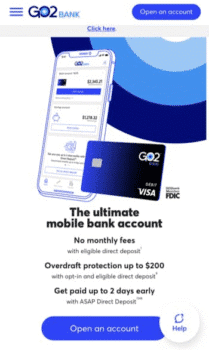
Step 2: Click “Open an Account”
Once on the homepage or inside the app, click the “Open an Account” button.

Step 3: Enter Your Email Address
You’ll first be asked to provide an email address to create your account. Make sure this is an email you check frequently since all notifications and confirmations will be sent here.
Step 4: Provide Personal Information
To meet federal banking requirements, you’ll be asked to provide the following:
- Full Legal Name
- Residential Address (no P.O. boxes)
- Date of Birth
- Phone Number
- Social Security Number (SSN) for identity verification
Step 5: Identity Verification
After verifying your mobile number, Go2Bank will do an identity verification check. This may include matching your SSN and date of birth against government databases.
In some cases, you may be asked to upload a photo of your ID and even take a selfie for facial verification. Verifying your identity is required by U.S. banking laws to help prevent fraud and money laundering.
Step 6: Account Approval
If everything checks out, your Go2Bank account will be approved. You’ll be able to log in right away and start using your new account. If Go2Bank needs more verification, they’ll request additional documentation. Check your email for updates.
Step 7: Receive and Activate Your Debit Card
After you apply, Go2Bank will mail your debit card to your residential address. This takes 7 to 10 business days. Once your card arrives, you must activate it before you can use it for transactions.
Activation can be done in three ways:
- Online: Visit GO2bank.com/start and enter your 16-digit card number, expiration date, security code, and SSN.
- Mobile App: Open the app and enter the same details (last four digits of the card, expiration date, security code and SSN).
- Phone: Call customer service at (855) 449-0703 and follow the prompts.
During activation, you’ll also set up a PIN number for ATM withdrawals and purchases, adding another layer of security.
Step 8: Fund Your Account
You can’t use your account until you add money to it. Go2Bank offers several ways to deposit funds:
- Direct Deposit: Ask your employer or government agency to deposit your paycheck directly into your account.
- Bank Transfer: Link an external bank account and transfer money electronically.
- Cash Deposit: Visit a participating retailer to load cash onto your card.
- Mobile Check Deposit: Deposit checks using your smartphone camera (eligibility required).
Once you’ve funded your account, you can start using it for everyday banking.
Step 9: Explore Go2Bank Features
Now that your account is set up, you can begin using GO2Bank’s features:
- Early Direct Deposit for paychecks and benefits.
- High-Yield Savings Account options.
- Cash-back rewards at select retailers.
- Bill Pay through the app.
- Secured Credit Card for building credit.
- ATM Access nationwide.
The mobile app lets you track spending, receive alerts and manage your finances on the go.
Requirements to Open a GO2Bank Account
Opening a GO2Bank account is relatively easy, but you’ll need to meet certain requirements:
- Age Requirement: You need to be at least 18 years old.
- Residency: Must have a U.S. residential address.
- Identification: Social Security Number (SSN) and possibly a government-issued ID.
- Device Access: A smartphone or computer with internet access to manage your account.
Fees Associated with GO2Bank
While GO2Bank is affordable compared to many traditional banks, it’s important to understand the potential fees:
- Monthly Fee: $5 (waived with eligible direct deposit).
- ATM Withdrawal Fee: Free at Allpoint ATMs; $3 + operator fee at out-of-network ATMs.
- Overdraft Fee: $0 if repaid within 24 hours; otherwise $15.
- Cash Deposit Fee: Up to $4.95 at participating retailers.
- Mobile Check Deposit: Free if you wait up to 10 days; instant availability requires a fee.
Benefits of Opening a Go2Bank Account
Several key benefits come with choosing Go2Bank:
- Secure & FDIC-Insured: Deposits are insured up to $250,000.
- Mobile-First Convenience: Everything from bill pay to check deposit happens in the app.
- High-Yield Savings: Earn more on your money than the average bank.
- Credit Building Tool: Secured credit card with no credit check.
- Budgeting Made Easy: Create up to 5 savings “vaults” for different financial goals.
How to Use Your GO2Bank Account Effectively
Once your account is open, here are some tips:
- Set Up Direct Deposit Immediately: This ensures you avoid the monthly fee and gain access to perks like overdraft protection.
- Use the Savings Vaults: Create separate vaults for bills, travel, emergencies, and long-term savings.
- Leverage the Cash Back: Purchase eGift cards for stores you already use to maximize the 7% cash back.
- Apply for the Secured Credit Card: Build credit responsibly by making small purchases and paying them off monthly.
- Avoid Out-of-Network ATMs: Stick to the 19,000+ Allpoint ATMs to avoid unnecessary fees.
FAQs
- How long does it take to open a Go2Bank account?
The application takes about 5–10 minutes. If your application is approved, your debit card will arrive within 7–10 business days.
- Can non-U.S. residents open a Go2Bank account?
No, a valid U.S. residential address and SSN/ITIN are required.
- Is there a fee for opening a Go2Bank account?
There’s no sign-up fee, but a $5 monthly fee applies unless you set up direct deposit.
- What happens if my identity can’t be verified?
You may be asked to upload additional documents or reapply with corrected information.
- Can I use my Go2Bank account without activating my debit card?
No, activation is required to fully access your account features.
Conclusion
Opening a Go2Bank account is a straightforward, secure, and fast process. With just a few steps, you can create an account online or through the mobile app, verify your identity, and receive your debit card within days. Once activated, Go2Bank offers powerful financial tools, including early direct deposit, free ATMs, mobile deposits, and credit-building options. By preparing your documents ahead of time and following the process carefully, you can enjoy a smooth experience. Go2Bank’s emphasis on mobile convenience, security, and accessibility makes it an excellent option for anyone seeking a modern approach to banking.
Other Banking Choices